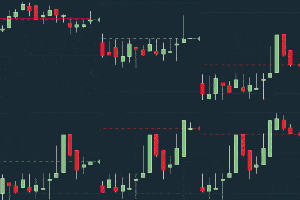
Why postpone the release? It works fine as far as I'm concerned. The forum doesn't accept files with the .md extension, so I'll paste the contents of the README file.
https://www.tradingview.com/script/dnJO ... Stop-Loss/
# TheStrat Suite - MQL5
A MetaTrader 5 port of **TheStrat Suite v3.0.1**, a multi-timeframe price-action
indicator implementing TheStrat methodology (inside bars, hammers/shooters, Failed
2s / Range Reclaims, outside bars, Magnitude/Exhaustion targets, FTFC, Lead Signal
filtering, Domino detection, alerts, and Strat/FTFC candle coloring).
## What's in this folder
| File | Needed by |
|---|---|
| `TheStratSuite.ex5` | **End users** - the compiled indicator. This is the only file required to run it in MetaTrader 5. |
| `TheStratSuite.mq5` | Developers - the main source file. Needed only if you want to view/edit/recompile. |
| `Include\*.mqh` | Developers - the source modules `TheStratSuite.mq5` includes. Needed only for recompiling. |
| `compile*.log` | Build logs from development - safe to delete, not used by MetaTrader. |Deleted
## Installation (end users - just want to run it)
You only need `TheStratSuite.ex5`.
1. Open **MetaTrader 5**.
2. Go to **File -> Open Data Folder**. This opens a Windows Explorer window into
that terminal's own storage folder.
3. Navigate into **`MQL5 -> Indicators`**.
4. Copy `TheStratSuite.ex5` into that `Indicators` folder (a subfolder is fine too,
e.g. `Indicators\TheStratSuite\`).
5. Back in MetaTrader 5, open the **Navigator** panel (`Ctrl+N` if it's hidden),
right-click **Indicators**, and choose **Refresh**.
- If it still doesn't appear, fully close and reopen MetaTrader 5 - a restart
always picks up newly added files.
6. Find **TheStratSuite** under **Navigator -> Indicators -> Custom** and drag it
onto the chart you want it on (or double-click it).
7. Its settings dialog opens on attach. The **Preset** dropdown (under
*Timeframe Preset*) is the main thing to set first - e.g. `TheStrat Classic`,
`Scalp`, `Day Trade`, `Futures/Crypto`, `Swing Trade`, `Investing`, or `Custom`
to configure your own six timeframes. Everything else has sensible defaults.
### If you run more than one MetaTrader 5 install (multiple brokers)
Each MetaTrader 5 installation has its **own separate data folder**. The indicator
has to be copied into the `Indicators` folder of the *specific* terminal you intend
to run it in - copying it into the wrong one's folder is a common cause of "it's
not showing up in Navigator." If in doubt, confirm the correct path via
**File -> Open Data Folder** from inside the terminal you're actually using.
## Installation (developers - want to view or modify the source)
1. Copy the **entire folder** (`TheStratSuite.mq5` + the `Include\` subfolder,
keeping them in the same relative layout) into your terminal's
`MQL5\Indicators\` folder, e.g. `Indicators\TheStratSuite_MQL5\`.
The `Include\` folder must sit alongside `TheStratSuite.mq5` - it's referenced
with a relative path (`#include "Include/StratInputs.mqh"`, etc.).
2. Open `TheStratSuite.mq5` in **MetaEditor** (F4 from MetaTrader, or open it
directly from Navigator by right-clicking -> Modify).
3. Press **F7** to compile. A clean build reports `0 errors, 0 warnings` and
(re)produces `TheStratSuite.ex5` next to the source.
4. Press **F5** (or attach it from Navigator as above) to run it on the current
chart.
After editing source, remember: MetaTrader loads the **compiled `.ex5`**, not the
`.mq5`/`.mqh` source directly. If an indicator already attached to a chart doesn't
reflect a change you just compiled, remove it from the chart and re-add it from
Navigator to force a reload.
## Known differences from the original TradingView (Pine Script) version
This is a full rewrite for MetaTrader 5's platform, not a line-for-line macro
translation. A few things behave differently by necessity:
- **No Preview Mode / weekend projection.** The original's "preview next period"
machinery exists to work around a TradingView-specific data-lookahead quirk that
doesn't apply to MT5's multi-timeframe data access - it was intentionally dropped.
- **No quarterly/semi-annual/annual timeframes.** MT5 has no native period beyond
Monthly, so the `Investing` preset's 3M/6M/12M slots fall back to Monthly.
- **Take Action Window boxes** approximate fill opacity by blending toward the
chart background color (MT5 chart objects have no true alpha channel).
- **Labels** render as plain colored text with no background chip (MT5 has no
native price-anchored "label with background" object).
- **Alerts** fire via MetaTrader's `Alert()`/`SendNotification()`/`PlaySound()`
rather than TradingView's `alertcondition()` dialog system, which has no MQL5
equivalent.
The entire code was created using Claude Code; the original Pine Script version is 3,243 lines long, making this my largest conversion from TradingView to MT5.
 ICT Algorithmic Trading: Combining Market Struc